Scan the equipment
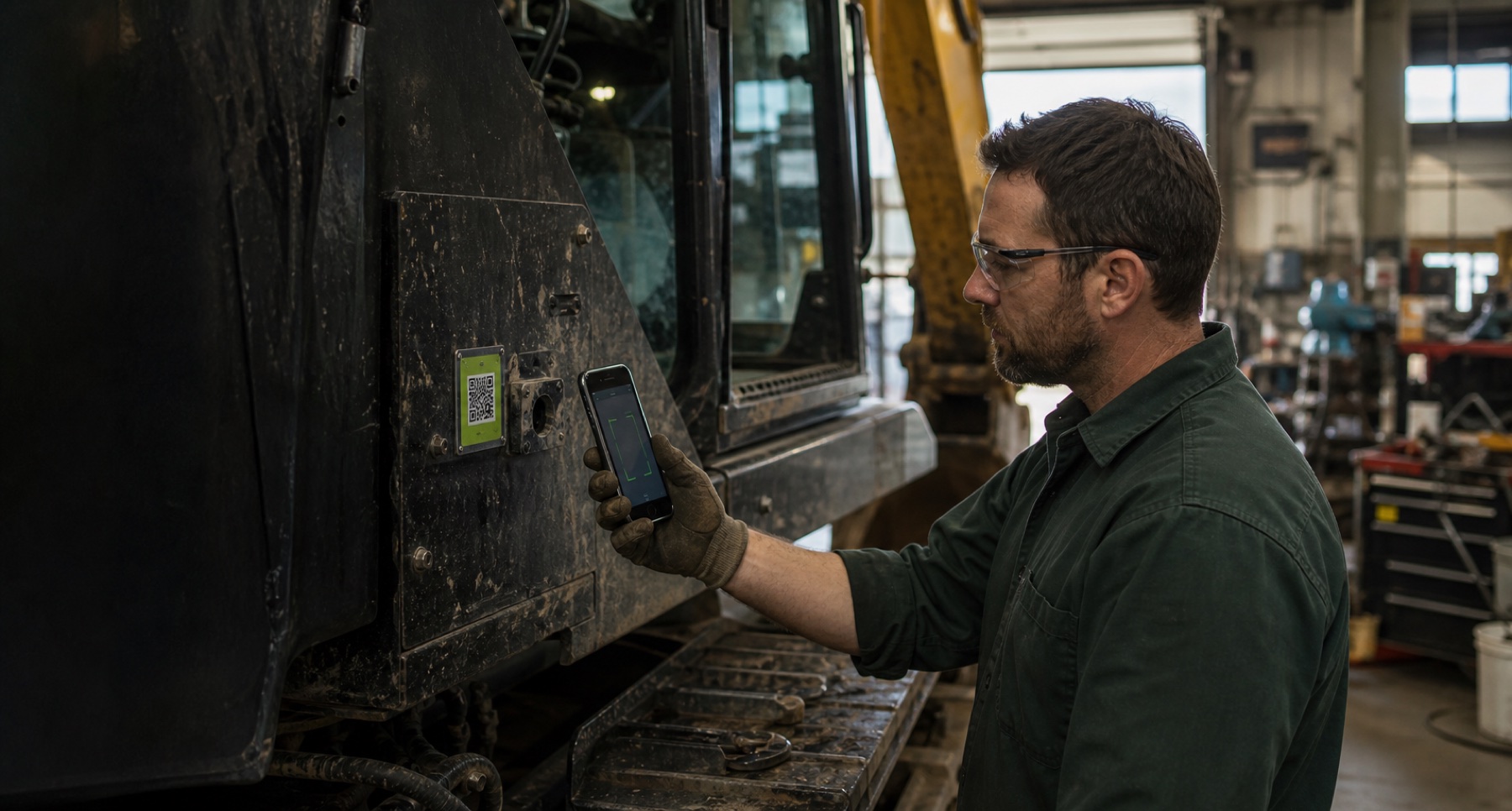
A mechanic scans the QR label with a phone and opens the correct unit—not a spreadsheet or a pile of paper.
Built around the mechanic—not the paperwork
Give mechanics one fast, phone-ready place to scan equipment, find service history, complete work orders, record parts and labor, and leave the next person a clear record.
THE DAILY WORKFLOW
Your crew should not have to learn a complicated office system just to document a repair. Remember My Moves keeps the field workflow short while connecting the details managers need later.
A mechanic scans the QR label with a phone and opens the correct unit—not a spreadsheet or a pile of paper.
Service history, open work, meter readings, inspection notes, photos, and assigned details stay connected to that equipment.
Add labor, parts used, notes, and proof while the job is fresh. Inventory and the service record stay accountable.
RMM agents can surface due work, low stock, and follow-ups for review. Authorized people decide what happens next.
CONNECTED FLEET OPERATIONS
RMM brings the mechanic work order, fleet parts inventory, and equipment service history into the same operational memory. That means fewer disconnected notes and a clearer handoff between the field, the shop, and management.
See the fictional workflow →Keep inspections, meter readings, repair notes, photos, and completed work connected to the unit.
Record the job, responsible person, labor time, parts used, and supporting proof in one workflow.
Know what is on the shelf, what was received, where it moved, and which work order used it.
Let RMM agents watch for due work, low stock, and incomplete follow-ups while your people keep authority.
BUILT FOR ADOPTION
QR access takes the mechanic directly to the equipment context instead of making them search through menus.
Parts, labor, notes, photos, and service activity stay with the work order and equipment history.
Configure the equipment, locations, roles, and terminology around your operation instead of forcing a generic template.
AI AGENTS WITH GUARDRAILS
RMM agents are designed to connect signals your team may otherwise have to chase: service activity, inventory levels, work status, and follow-ups. They surface the next review while authorized people stay responsible for the decision.
STRAIGHT ANSWERS
Yes. RMM is designed as a phone-ready web application so a mechanic can open equipment records and record work where the equipment is.
Yes. A QR label can open the correct equipment record, reducing searching and helping the crew attach work to the right unit.
Yes. Work orders can keep the repair, parts used, labor time, notes, photos, and equipment history connected instead of scattering them across separate files.
The equipment structure is configurable for trucks, trailers, heavy equipment, attachments, shop assets, and other units your operation needs to maintain.
No. The RMM approach is to monitor activity and surface what needs attention. Your authorized team remains in control of operational decisions and recorded changes.
No. The mechanic demo is fictional and clearly labeled so you can explore the workflow without exposing customer information.
REMEMBER MY MOVES
Show us how your fleet works today. We’ll arrange a walkthrough around your equipment, mechanics, parts, and service process.
Or explore the mechanic demo →